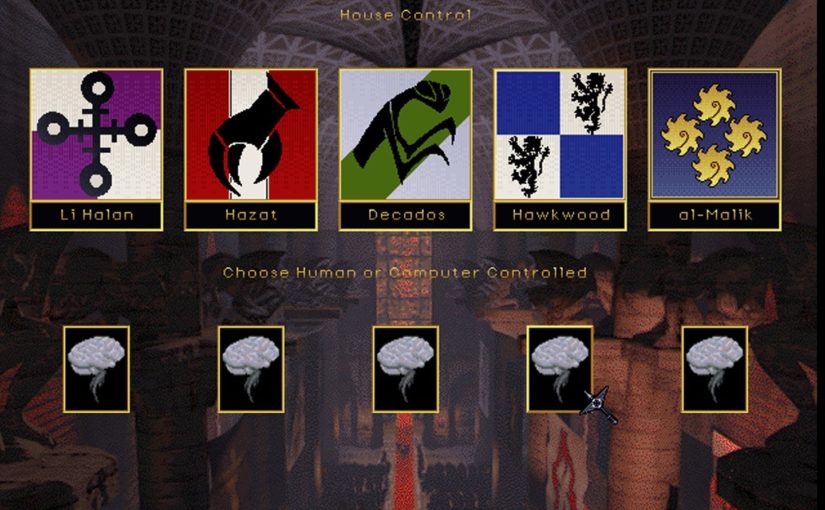
Both Emperor of the Fading Suns Enhanced and Machiavelli the Prince Enhanced are on sale June 25 – July 8 as part of the Summer sales on GOG and Steam. Both games also received updates to add important features players have requested, improve player quality of life, and fix bugs.

The new update for Machiavelli the Prince adds a number of important features players have requested, most of which you can access via the new “Settings” button at the Start Screen and in the Venice Guild Hall.
- Sound and Music Volume. Players can now adjust the volume for the game’s music and sound effects, or turn them off altogether.
- Music Selection. Players can now select the original MIDI music for the game, some of which only plays at specific screens, or the new music. They can also use this setting to change their music selection during the game.
- Animation Speed. Players can now choose between the Normal animation speed or Fast animation speed. This impacts the Buy/Sell screen, movement on the main map, trade routes and more.
- Font Selection. Players can now choose between our original font and a more modern font. Please note that certain fonts are graphically included on some screens, and those will not change.
- Auto Save can now be selected in the start menu.
- The game now includes tooltips to clarify the functions of almost 20 buttons
Bug Fixes
- Fixed issues when players were not allowed to burn opponents’ villas, or burned the wrong villa.
- Fixed bug that allowed you to move mercenaries you had just fired
- Fixed misspellings.
- Corrected the message the Council Head receives when accusing senators.
Map Editor Fixes
- City configs saved as .csv files now allow modders to adjust chance of a city to be open to trade at game start
- Implements bump scrolling for map editor

Please note that these updates also require modders to update their work, especially if they have modified .res files. Details are at the end of this changelog.
Quality-of-Life Improvements
- One of the most requested quality-of-life improvements has been for build queues in your cities. You can access this new feature via a specific city or the archives. First add a queue – give it a name, select units in the order in which you want them built, and close the window to save it. Now that queue shows up in every city that can build all of its units. Select the queue and the city will build those units, in order, as long as you have enough resources available.
- Another QoL improvement involves reordering messages. Players had concerns when a longer series of “Resource Missing” messages would cause more important messages to be missed. Messages now appear in order of general importance, with “Resource Missing” messages at the bottom of the message window
- The third QoL improvement involves adding more hotkeys and shortcuts.
- Corrected behavior for the number pad Enter key, allowing it to mimic the regular Enter key
- Corrected hotkey implementation for shortcuts in the Build menu and messaging,
- Pressing “X” will eXit from planet-view to the star-map
- Left and Right buttons now allow players to navigate the group finder screen.
Bug Fixes
- Corrected dialog boxes incorrectly responding to number pad input
- Fixed various shortcuts
- Fixed a problem with sync behavior in the launcher
- updated the league loan behaviour
- Fixed Plague Bomb function configuration
For Modders
- New spotting algorithm allows you to choose between 8 different profiles that changes how detection works
- Maximum loan amount for league
- Starting wealth is now moddable per faction
Information for modders regarding altered data
DAT
- EFS.INI
- Addition of “maximum_loan_amount” for the League
- new “spot_algorithm” with several presets
- “starting_credits” removed and put into PlayerTable as PlayerStartingCredits
- PlayerTable.DAT
- PlayerStartingCredits
- UNIT.DAT
- Plague Bomb function fix
json
- diplo.res/.json (5 lines)
- Various data tunings for screen navigation UI/UX
- efs.res (around 26+ sections altered)
- FileMenu split to Starmenu and HexMenu
- Implemented dummy hotkeys through static UI elements
- Changed some hotkeys
- Queue system support
- strings.res (3 sections)
- Added confirmation of League loan and more information
- Added missing resources and tech info to queue messaging and queue system support
Important Notice for Modders: Update Your Mods for the New Patch
With the release of the new patch, all modders should make sure their mods are updated before launching the game.
If your mod changes any .res files, you may encounter a black screen on startup unless your files have been properly updated. To avoid this, please export your JSON files back into .res format using the provided Python script included with the modding tools.
TLDR:
Update your mods, re-export your JSONs into .res files, and make sure you are using the latest patch-compatible files before playing.
Phoenix Mod Changelog
Graphics
- Added new unit artwork. Most units now have unique art.
- Added new button artwork.
UI, UX, Documentation & Organization
- Reworked the main screen buttons. They are now graphical buttons using bitmasks.
- Updated names and hotkeys for better synergy, speed, and WASD accessibility across multiple screens.
- Added queue support.
- Queues are accessible in two clicks, like vanilla.
- To use the hotkey, click Realm with the mouse first, then press Q, or use the corresponding file menu option.
- Pressing Q without first selecting Realm will open Quartermaster instead.
- Clicking End Turn now automatically rejects diplomacy requests, unless the diplomacy message involves war.
- Changed descriptions for some technologies.
- Organized files into folders.
- Established the foundation for a documentation system:
- INFO corresponds to MECHANICS
- DATA corresponds to ASSETS
- Added the first visual information chart: Engineer Overview.
- Categories with entries are now marked with an asterisk at the end, for example: WORLD*.
- Reorganized graphics into folders corresponding to movement type archetypes
Fixes
- Fixed clergy tithe skim being far too powerful.
- Fixed structure build offset error.
- Fixed structure technology offset issue.
- Updated technology descriptions and corrected erroneous technology offsets.
- Renamed files for Linux compatibility.
- Linux support has not yet been fully verified.
Units
- Made several light combat balance and tuning adjustments.
- Increased base movement for motorized and mechanized units to 11.
- City Builders now have 2 movement and are amphibious.
- Some entrenched elements now have 2 movement instead of 1.
- Logistics Trucks can now be built anywhere, but require Line Infantry. This matches the Infantry → APC progression.
- Star Command Cruiser now has the Officer Flag.
- Updated Sceptor movement:
- Imperial Sceptor uses tread movement.
- Royal Sceptor uses wheeled movement and has 3 movement.
- Planetary Sceptor uses hover movement and has 4 movement.
- Altered several resource costs across the board. There are too many individual changes to list.
New Units
Added several new units. All of these units have unique small artwork.
- Star Corvette
- Similar to the Frigate, but slightly worse in combat.
- Has the same spotting and stealth profile as the Frigate.
- Has higher agility, but less armor.
- Cannot carry units.
- Assault Transport
- Larger version of the Assault Lander.
- Assault Shuttle
- Smaller, boarding-focused Assault Lander variant.
- Personnel Shuttle
- Small 1-cargo shuttle.
- Light Shuttle
- Small 2-cargo shuttle.
- Exploration Craft
- Rare 3-movement, 1-cargo craft.
- Requires a Scientist.
- Orbital Support Vessel
- Cargo and orbital bombardment support vessel.
- Naval Landing Craft / LCAC
- Producible in Castles, not factories.
- Line Infantry
- District-based infantry.
- Includes an entrenched version.
- Machine Gun
- Includes an emplaced version, similar to ATG, Artillery, and AA units.
Cargo Logistics
This is one of the largest changes in this update. Units now have cargo portage costs. This affects a wide range of unit transportation and logistics behavior.
General cargo portage values:
- Infantry: 1
- Tanks: 2
- Fighters: 3
- Waystation: 16, requiring bulk haulers
- Cargo: 8, meaning Freighters and larger ships now have transport capacity
Global
- Reduced clergy tithe skim income, as it was previously far too high.
- Adjusted starting Firebirds for Houses to 300k.
Galaxy
- Reworked Symbiot jump routes.
- The Symbiots should now gain more routes into the Known Worlds as the game progresses.
- Added Lyssar.
- A custom-built shared starting planet with excellent infrastructure.
- Inaccessible by starship in the early game.
- Added Enik.
- A custom-built rebel-controlled planet.
- Slightly altered the New Mariana start, including both terrain and starting units.
- Rebalanced starting homeworlds in terms of available resources and infrastructure.
- Some asymmetry should still be expected.
- Overall differences should generally be imperceptible during normal play.
- Made minor jump route adjustments.